Quickly populate landlord details from your directory, record appliance checks, and launch Fast-Track mode.
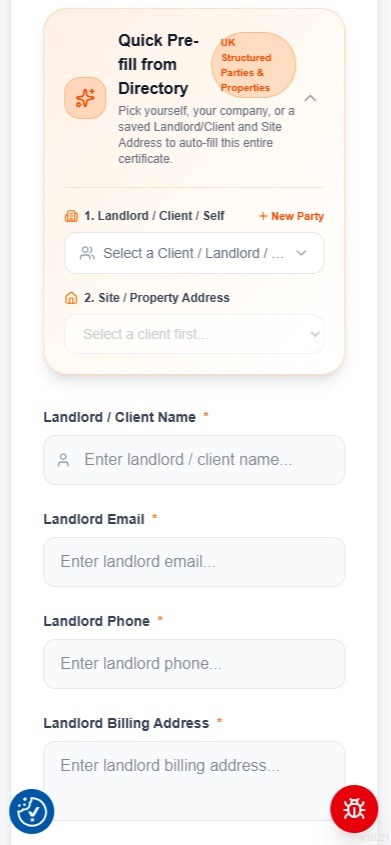
Quick Pre-fill from Directory (Landlords & Properties)
1-tap auto-fill for recurring landlords, letting agents and rental premises
Save hours of repetitive typing on-site by selecting from your pre-saved UK Structured Parties and Property Directory. Selecting a saved Landlord or Letting Agent instantly auto-fills Landlord Name, Email, Phone, and Billing Address, plus linked rental site addresses across the entire certificate.
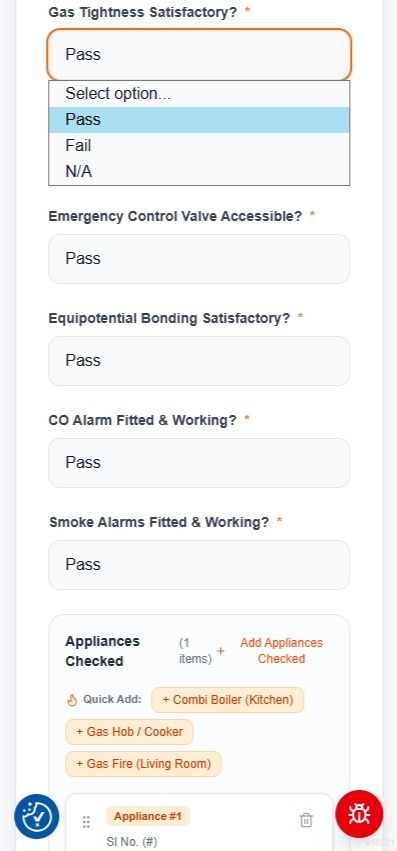
Complete Gas Installation & Alarm Checks
Section 3 safety checklist with 1-tap dropdowns
Complete the Section 3 gas installation checklist using responsive mobile dropdowns: Gas Tightness, Emergency Control Valve accessibility, Equipotential Bonding, and CO & Smoke alarm verification.
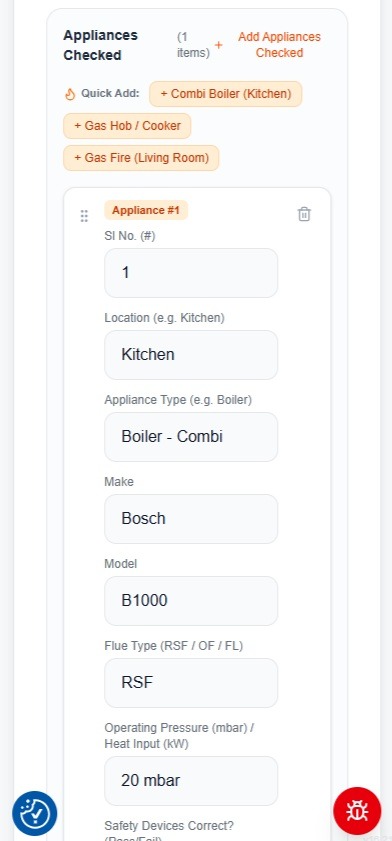
Add Inspected Gas Appliances with Quick-Add
Section 4 multi-appliance inspection matrix
Add all gas appliances at the property (boilers, hobs, fires, water heaters). Use the 1-tap Quick-Add buttons (e.g. '+ Combi Boiler (Kitchen)', '+ Gas Hob / Cooker', '+ Gas Fire') to pre-fill common appliance types, then enter make, model, flue type, and operating pressure.
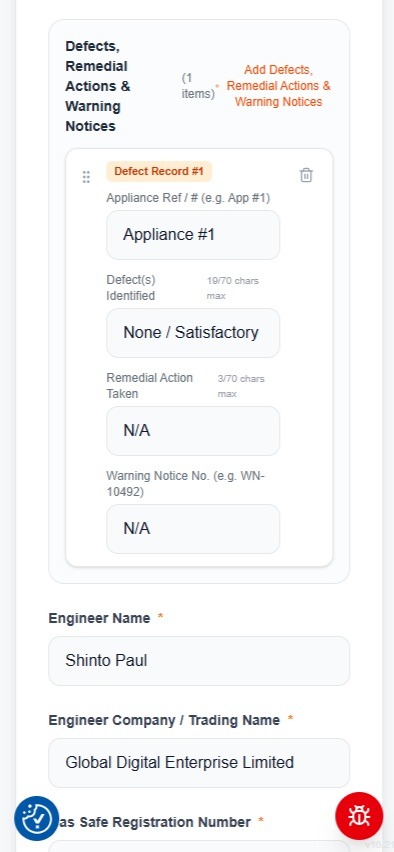
Record Defects, Remedial Actions & Warning Notices
Section 5 safety notices and defect management
Document any defects identified during the inspection. For safe installations, the system defaults to 'None / Satisfactory' with 'N/A' for remedial actions. If defects exist, record the warning notice number (e.g. WN-10492) and remedial actions taken.
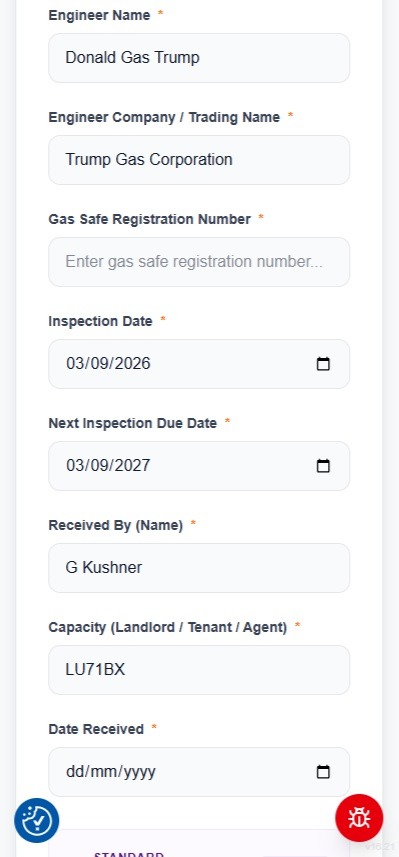
Verify Gas Safe Credentials & Next Due Date
Section 6 declaration and Section 7 recipient details
Your Engineer Name, Trading Name, and Gas Safe Registration Number are automatically populated from your verified profile. The inspection date is set to today, and the next due date is automatically calculated to +12 months. Enter the tenant or customer name present.
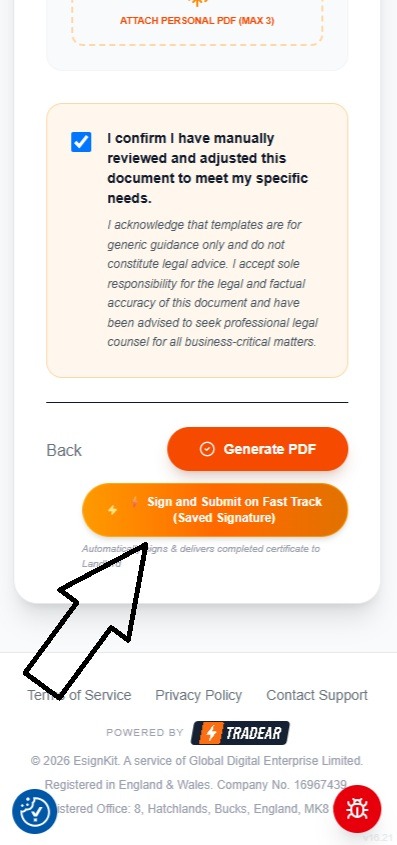
Submit on Fast-Track with Saved Engineer Signature
Instant transition from form to interactive canvas
Check the review confirmation checkbox and tap the orange '⚡ Sign and Submit on Fast Track (Saved Signature)' button. EsignKit securely embeds your saved engineer signature into Section 6 and launches the interactive visual review canvas.
Capture the tenant signature on-site, configure stakeholder email copies, and submit the certified record.
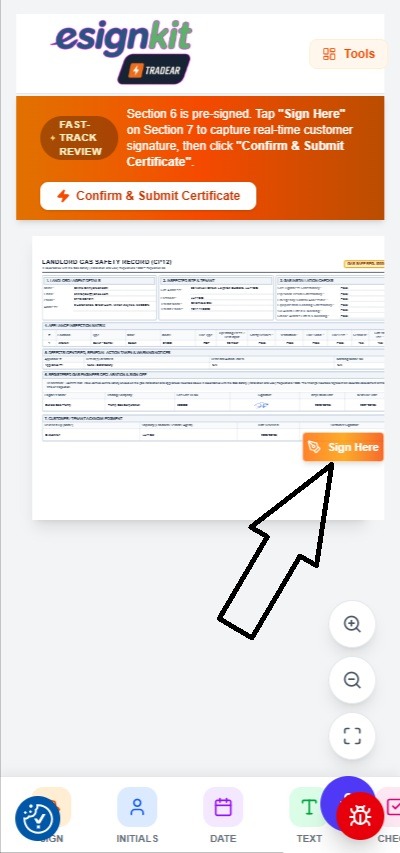
Review Certificate & Locate Customer Sign-Off
Section 6 pre-signed; pulsing prompt over Section 7
The full CP12 document is rendered in crisp vector preview. Section 6 is already signed with your engineer signature. An orange review banner confirms Fast-Track mode and a pulsing 'Sign Here' badge points directly to Section 7 for the customer acknowledgment.
Capture Real-Time Customer Signature On-Site
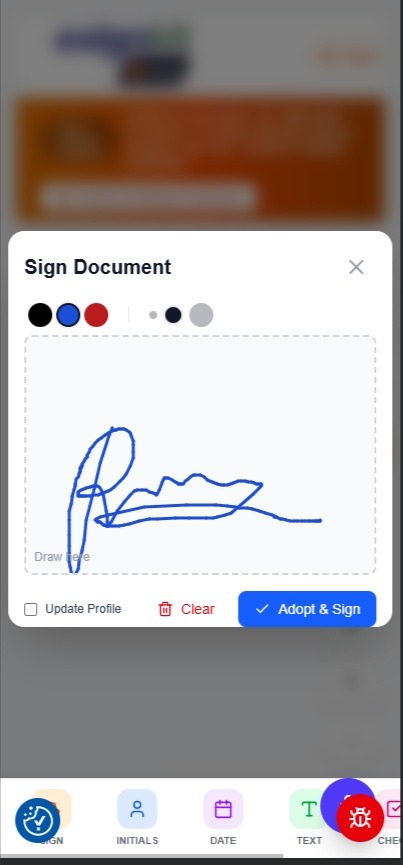
Touchscreen signature pad for tenant or landlord
The touchscreen signature pad opens. Hand your phone or tablet to the tenant or customer to draw their signature on screen in real time. Once drawn, tap 'Adopt & Sign' to place it directly into Section 7.
Add Email-Only Recipients (Landlords, Agents, Tenants)
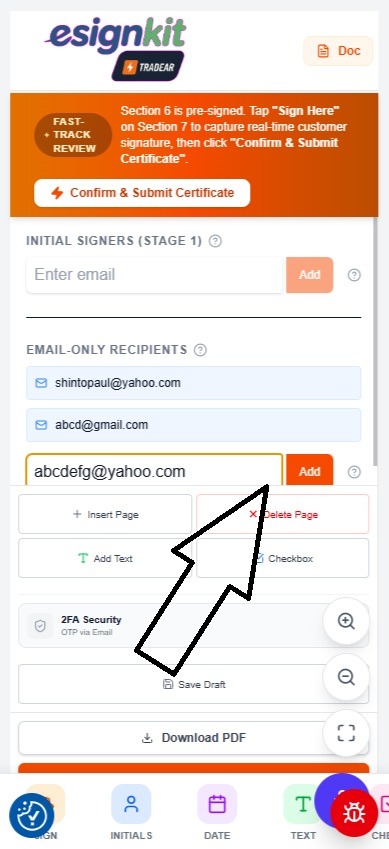
Deliver final PDF copies automatically upon submission
Tap the 'Tools' tab at the top right to open the drawer. Under 'EMAIL-ONLY RECIPIENTS', add the email addresses of landlords, letting agents, or property managers who require an instant copy of the completed certificate.
Confirm & Submit Certificate
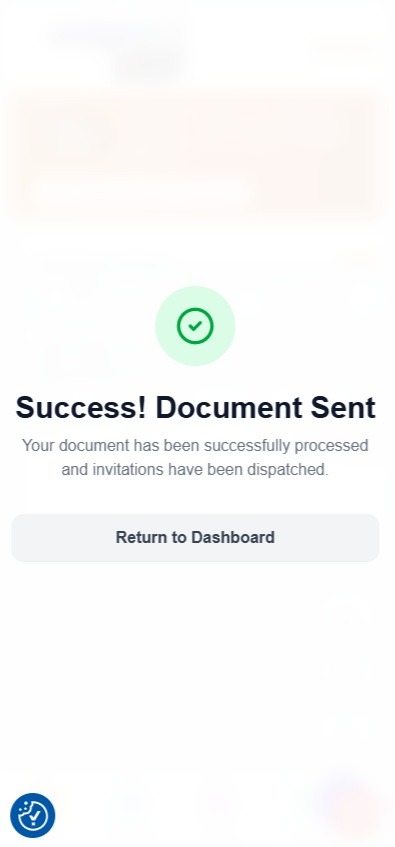
Instant cryptographic sealing and multi-party email dispatch
Tap the prominent orange '⚡ Confirm & Submit Certificate' button. EsignKit burns both signatures into the document, generates the forensic audit report, and sends the final PDF to all recipients in seconds.
Finished Landlord Gas Safety Record
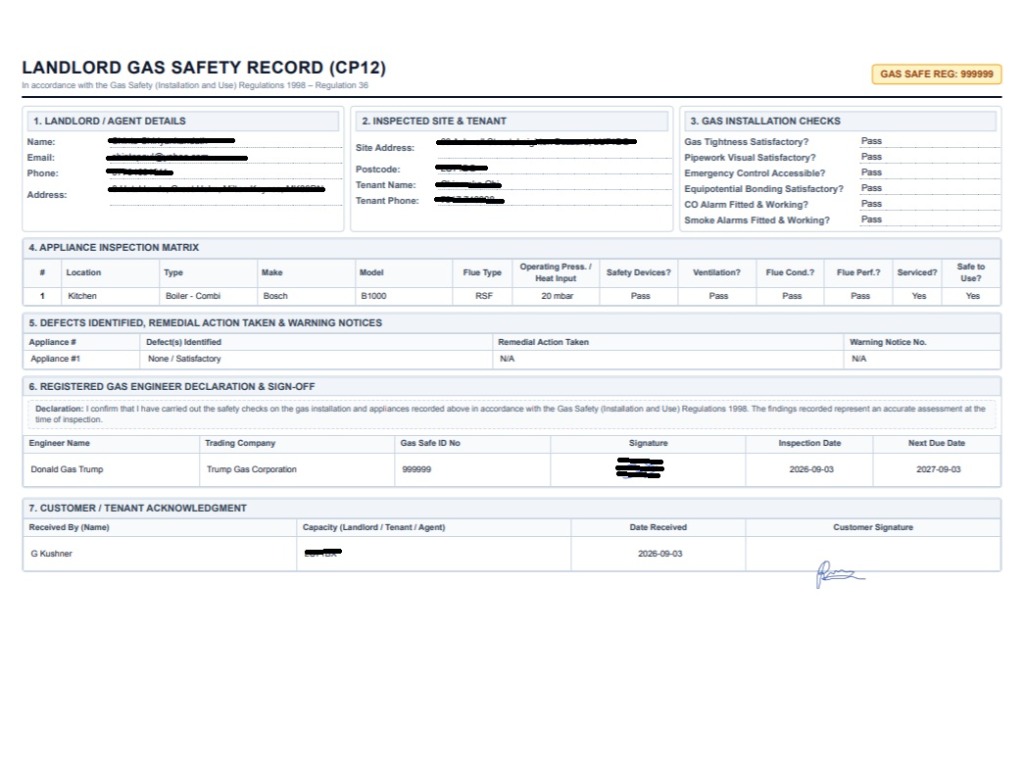
Laid out for the Gas Safety (Installation and Use) Regulations 1998
The finalized Landlord Gas Safety Record (CP12) is rendered in pristine, high-resolution PDF format with Section 1-5 appliance checks, Section 6 Gas Safe engineer declaration, Section 7 customer acknowledgment, and automated next due date calculations.